Toshiba G8000 Manual de usuario
Busca en linea o descarga Manual de usuario para Herramientas Toshiba G8000. Toshiba G8000 User Manual Manual de usuario
- Pagina / 79
- Tabla de contenidos
- SOLUCIÓN DE PROBLEMAS
- MARCADORES

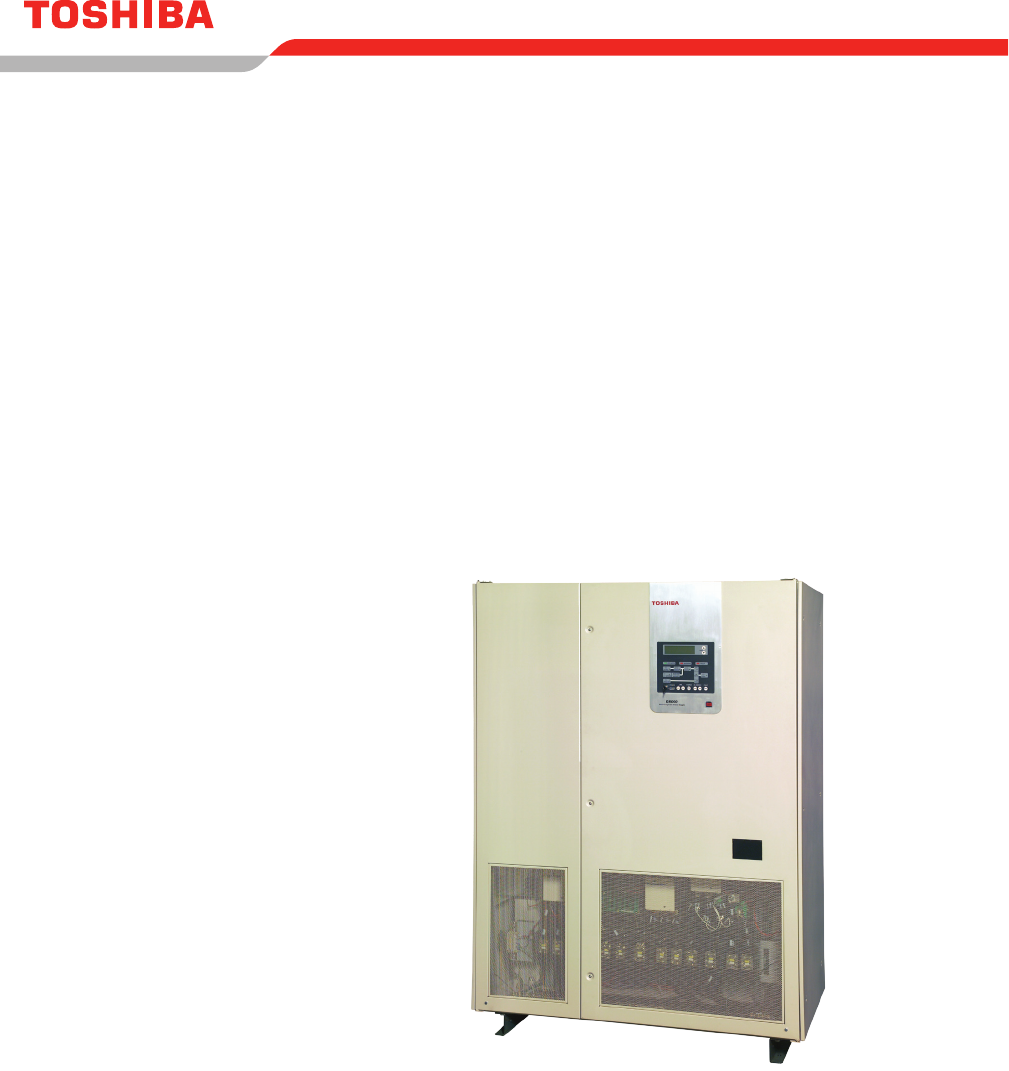
- G8000 SERIES 1
- QUALIFIED PERSONNEL ONLY 4
- Table of Contents 7
- SAVE THESE INSTRUCTIONS 9
- 2.1 Symbols 10
- ATTENTION 11
- 4 Safety Precautions 13
- 4.3 Transporting/Unpacking 14
- 4.2 General Maintenance 14
- BACK�SIDE 15
- 4.4 Inspection/Storage 16
- 5 Installation Precautions 17
- C A U T I O N 22
- (control power source switch) 22
- 7 Weight and Dimensions 25
- 8 Transporting 27
- 8.1 Transporting By Crane 28
- 9.1 Operating Precautions 30
- 9.3 Disposal 33
- 10 Installation 34
- 10.1 Unpacking 35
- 10.2 UPS Clearance 35
- 10.3 Anchor Bolts 36
- 11 UPS Wiring 37
- U V W U V W N 38
- PLATE #1 PLATE #2 42
- PLATE #2 PLATE #3PLATE #1 42
- PLATE #3PLATE #2 43
- PLATE #4 43
- PLATE #1 43
- 11.4 External Breakers 44
- 11.5 Grounding Wire 44
- G8000 - 100 kVA 45
- G8000 - 300 kVA 45
- G8000 - 150/225 kVA 45
- 11.6 Control Wires 46
- 12 UPS Specications 51
- 13 Operator Interface 54
- 13.2 LCD/LED Indicators 56
- SCROLL UP 57
- SCROLL DOWN 57
- NORMAL DISPLAY 57
- WARNIG DISPLAY 57
- FAULT DISPLAY 57
- TABLE 13.2 - CONTINUED 59
- 13.6 LCD Scroll 61
- 14 Operating the UPS 62
- 14.1 Operation Types 63
- 14.2 Pre-operational Check 63
- 15 Troubleshooting 71
- FIGURE 15.2 - FAULT DISPLAY 73
- FIGURE 15.3 - WARNING DISPLAY 73
- 15.4 Fault Messages 74
- LED Key 77
- - LED Off 77
- - LED On 77
- INDUSTRIAL DIVISION 79
Indice de contenidos
© Copyright 2008 Toshiba International Corporation All rights reserved.Document: 57056-004May 2008UNINTERRUPTIBLE POWER SYSTEM (UPS)G8000 SERIESINSTAL
2G8000 Series Installation and Operation Manual2 General Safety InstructionsDO NOT attempt to transport, install, operate, maintain or dispose of t
3G8000 Series Installation and Operation Manual2.2 Signal WordsThe signal words listed below are used throughout this manual. When the words DANGER
4G8000 Series Installation and Operation ManualBe trained in rendering rst aid.For further information on workplace safety visit www.osha.gov.2.4
5G8000 Series Installation and Operation Manual4 Safety PrecautionsThe Toshiba products listed in this document are intended for usage in general e
6G8000 Series Installation and Operation Manual4.3 Transporting/UnpackingWARNINGWhen transporting the UPS by crane, follow the SPECIFIED WORK PROCE
7G8000 Series Installation and Operation ManualCAUTIONDO NOT transport, move, store, or place the UPS on its side.Forces due to heavy components insid
8G8000 Series Installation and Operation Manual4.4 Inspection/StorageInspectionUpon receipt of the UPS, an inspection for shipping damage
9G8000 Series Installation and Operation ManualCAUTIONInstall the UPS in a controlled environment.Improper storage and installation environment m
10G8000 Series Installation and Operation ManualDO NOT block air vents.Blocking the vents will increase the internal temperatures and may res
11G8000 Series Installation and Operation ManualTABLE 5.1 - UPS INSTALLATION ENVIRONMENT STANDARDSItem Environment standardInstallation Location Indoo
12G8000 Series Installation and Operation Manual7) The UPS generates and can radiate radio-frequency energy during operation. Although RFI noise lter
13G8000 Series Installation and Operation Manual5.1 Wiring/ConnectionWARNINGPerform wiring and connections with correct polarity.Be careful when co
14G8000 Series Installation and Operation Manual6 Warning LabelsBelow are representative warning labels and their location on the UPS. Exterior Ha
15G8000 Series Installation and Operation Manual6.1 Warning Label LocationsDANGERHazardous voltages are used in the operationof this equipment and
16G8000 Series Installation and Operation ManualFIGURE 6.3 – 150/225 KVA UPS WARNING LABELSFIGURE 6.4 - 300 KVA UPS WARNING LABELS
17G8000 Series Installation and Operation Manual7 Weight and Dimensions Table 7.1 lists the unit and shipping weights for G8000 UPS models illustra
18G8000 Series Installation and Operation ManualFIGURE 7.2 - 150/225 KVA UPS EXTERIOR DIMENSIONS (INCHES)FIGURE 7.3 – 300 KVA UPS EXTERIOR DIMENSION
19G8000 Series Installation and Operation Manual8 TransportingThe UPS may be packed in a crate for extra protection during transportation. Avoid im
20G8000 Series Installation and Operation Manual8.1 Transporting By CraneCables should have sufcient ratings and be of the same length. Make sure
21G8000 Series Installation and Operation Manual8.2 Transporting By ForkliftRefer to Chapter 7 - Weight and Dimensions. Verify forklift maximum loa
G8000 Series Installation and Operation ManualUNINTERRUPTIBLE POWER SYSTEM (UPS)© Copyright 2008 Toshiba International Corporation All rights reserved
22G8000 Series Installation and Operation Manual9 Storage/Operating EnvironmentObserve the following when storing the UPS.Store UPS indoors.Maximum
23G8000 Series Installation and Operation ManualWARNINGWhile operating in the inverter mode, placing the input breaker in the “OFF” positio
24G8000 Series Installation and Operation Manual9.2 Maintenance PrecautionsAll internal maintenance sould be performed by factory authorized person
25G8000 Series Installation and Operation ManualCAUTIONDO NOT dispose of the batteries in a re.The batteries may explode.DO NOT open or mutilate the
26G8000 Series Installation and Operation Manual10 InstallationWARNINGKeep the SPECIFIED CLEARANCE around the UPS.Inadequate space around the UPS m
27G8000 Series Installation and Operation Manual10.1 UnpackingUnpack the UPS indoors on a paved oor. The UPS should be as close as possible to
28G8000 Series Installation and Operation ManualG8000 Series Installation Manual 2610.3 Anchor Bolts Install the anchor bolts to secure the UPS on th
29G8000 Series Installation and Operation Manual11 UPS WiringNote: Always consult your local and NEC electrical codes for wiring, cabling, and cir
30G8000 Series Installation and Operation Manual11.1 100 kVA Terminal Blocks and Power CablesNote: Always consult your site specic, local, state,
31G8000 Series Installation and Operation Manual11.2 150, 225, and 300 kVA Buss Strip Terminals and Power CablesNote: Always consult your site spe
G8000 Series Installation and Operation ManualThe Toshiba products listed in this document are intended for usage in general electronics applications
32G8000 Series Installation and Operation ManualFor UPS’ equipped with buss strip terminals for the A/C INPUT, BYPASS INPUT, A/C OUTPUT and BATTERY co
33G8000 Series Installation and Operation ManualTABLE 11.4 RECOMMENDED CABLE SIZE AND FASTENER TORQUE FOR 225 KVA UNITBlock Number Cable Size Recomme
34G8000 Series Installation and Operation Manual11.3 UPS Power Cable Knockout PlatesCable knockout plates are provided at the bottom of the 100 kVA
35G8000 Series Installation and Operation ManualFigure 11.9 shows the four (4) cable knockout plates provided at the top of the 300 kVA UPS. Seven (7)
36G8000 Series Installation and Operation Manual11.4 External BreakersThe G8000 UPS units are not equipped with circuit breakers. Qualie
37G8000 Series Installation and Operation ManualFIGURE 11.10 - EARTH GROUND WIREG8000 - 100 kVA 12 mm or 1/2 in. Terminal10 mm or 7/16 in. BoltFeed-th
38G8000 Series Installation and Operation Manual11.6 Control WiresThe control wires terminal layouts at TB1 (terminal bus 1) are shown below in Tab
39G8000 Series Installation and Operation ManualThe UPS battery cabinet and bypass breaker should be wired as shown below in Figure 11.11. FIGURE 11.
40G8000 Series Installation and Operation Manual11.7 Grounding CongurationThis section describes the grounding conguration to be used with variou
41G8000 Series Installation and Operation Manual11.7.2 Grounding Conguration (without input neutral)When the input source is wye-connected, the ne
G8000 Series Installation and Operation ManualUNINTERRUPTIBLE POWER SYSTEM (UPS)Please complete the following information and retain for your records.
42G8000 Series Installation and Operation Manual11.7.4 Grounding Conguration (with corner-grounded delta-input)If one phase of delta-input source
43G8000 Series Installation and Operation Manual12 UPS Specications12.1 General SpecicationTermsSpecication RemarksConforming Standard UL1778
44G8000 Series Installation and Operation Manual12.2 Mechanical Specication (cont.)Nominal Capacity 150 kW 225 kW 300 kWCabinet Protection Conform
45G8000 Series Installation and Operation Manual12.3 Electrical SpecicationNominal Capacity 100 kW 150 kW 225 kW 300 kWAC Input Rated Capacity* 11
46G8000 Series Installation and Operation Manual13 Operator InterfaceTable 13.1 shows the functions of the operating buttons on the graphic display
47G8000 Series Installation and Operation Manual13.1 Key-Switch and ButtonsThe key-switch and operating buttons on the graphic display panel are sh
48G8000 Series Installation and Operation Manual13.2 LCD/LED IndicatorsFIGURE 13.2 – GRAPHIC DISPLAY PANEL LCD/LED INDICATORS2311212019181716151413
49G8000 Series Installation and Operation Manual13.3 LCD IndicatorsThe operator can scroll through the following LCD display screens using the scro
50G8000 Series Installation and Operation Manual13.4 Normal DisplayThe Normal Display screen indicates the UPS operational status and pro
51G8000 Series Installation and Operation ManualTABLE 13.2 - CONTINUEDMEASUREMENT SCREENSO/P CURRENT (PEAK)Shows the peak output current peak (%) for
G8000 Series Installation and Operation ManualPurposeThis manual provides information on how to safely install and operate your Toshiba I
52G8000 Series Installation and Operation Manual13.5 Fault DisplayThe Fault Display screen displays the fault records until they are res
53G8000 Series Installation and Operation Manual13.6 LCD ScrollScroll through the LCD display screens (see Figure 13.4), in sequence, using
54G8000 Series Installation and Operation Manual14 Operating the UPSThis section describes the basic procedures to operate the UPS. Figure 14.1 sho
55G8000 Series Installation and Operation Manual14.1 Operation TypesThe operation types are summarized below.TABLE 14.1 OPERATION TYPESOperation De
56G8000 Series Installation and Operation Manual14.3 Startup ProceduresThe procedure to start the UPS is shown in Steps 1-5.STEP 1Turn on the contr
57G8000 Series Installation and Operation ManualStep 4-5 continues the procedure to start the UPS. STEP 4Turn on the DC Input Breaker (72B) on the ext
58G8000 Series Installation and Operation ManualCONVERTERINVERTERUPSAC OUTPUTBATTERIESBYPASS INPUTDISCHARGEEQUAL CHARGEFLOAT CHARGEBYPASSAC INPUTACSWI
59G8000 Series Installation and Operation Manual14.5 StopThe procedure to stop the UPS is shown in Steps 1-3.STEP 1Transfer to Bypass supply as des
60G8000 Series Installation and Operation Manual14.6 Complete ShutdownThe procedure to turn off the control power and shut down the UPS completely
61G8000 Series Installation and Operation Manual14.7 Changing Between Float Charge and Equalize ChargeThe procedure to change the recharge mode bet
iG8000 Series Installation and Operation ManualTable of Contents1 Introduction ...
62G8000 Series Installation and Operation Manual14.8 Changing to Float Charge from Protection Charge (If applicable)The manual procedure to cha
63G8000 Series Installation and Operation Manual14.9 Emergency Power Off (EPO)Press the EPO switch for immediate shutdown of all power through the
64G8000 Series Installation and Operation Manual15.2 Faults and Warnings Data ScreenThis screen appears when a trip error is detected. Up to 10 scr
65G8000 Series Installation and Operation Manual15.3 LCD Fault & Warning DisplaysWhen a fault occurs, a screen is shown as in Figure 15.2. When
66G8000 Series Installation and Operation Manual15.4 Fault MessagesFigure 15.4 show the locations for fault detection. Tables 15.3 through 15.7 giv
67G8000 Series Installation and Operation ManualTABLE 15.5 - WARNING - 2 (STOP AND RESTART)Item LCD Message Indication Description27IAC O/P UV AC outp
68G8000 Series Installation and Operation Manual15.5 LCD Scroll (w/ faults or warnings)This section describes how to scroll through the LCD screens
69G8000 Series Installation and Operation Manual15.6 Restoring UPS OperationThe procedure to restore UPS operation is shown in Steps 1-2. The examp
INDUSTRIAL DIVISION13131 West Little Your road, Houston, Texas 77041Tel (713) 466-0277 Fax (713) 466-8773U.S. (877) 867-8773 Canada (800) 872-2192
iiG8000 Series Installation and Operation Manual11.4 External Breakers ......
1G8000 Series Installation and Operation Manual1 IntroductionThis manual provides information on how to safely operate your G8000 Series Uni
Relacionado con productos y manuales para Herramientas Toshiba G8000
 (68 paginas)
(73 paginas)
(8 paginas)
(68 paginas)
(73 paginas)
(8 paginas)
© 2020, manymanuals.es. Todos los derechos reservados | 0.061 s |
 Manymanuals.com
 Manymanuals.de
 Manymanuals.fr
 Manymanuals.it
 Manymanuals.pl
 Manymanuals.cz
 Manymanuals.es
 Manymanuals-pt.com
Comentarios a estos manuales